Managing five social channels by hand is a race you cannot win. The average brand post now lives only a few hours before the algorithm buries it, and community managers spend roughly a third of their week on repetitive scheduling, caption drafting, and reporting. A 2026 study found that social teams using AI drafting and auto-scheduling reclaimed close to ten hours per person each week, yet the same teams also reported that badly configured tools produced tone-deaf replies and compliance headaches. The difference is not whether you adopt AI social media tools, but how you choose and chain them. This guide uses a decision-tree approach so you can match each tool to the job it should actually do.
Start with the bottleneck, not the feature list
Before comparing vendors, answer one question: where is your team losing the most time? If your pain is consistent publishing across time zones, you need a scheduler-first platform. If the pain is writing captions and replies that match your brand voice, an LLM-based drafting add-on wins. If the pain is proving ROI to leadership, an analytics-heavy suite matters more. Choosing a tool because a competitor uses it is how you end up paying for features nobody on your team touches.
Draw three branches: publishing, content creation, and measurement. Then let your answer under each branch narrow the field instead of forcing one all-in-one to do everything.
Publishing branch: schedulers that keep you consistent
For the publishing branch, the realistic candidates are channel-agnostic schedulers that push to Instagram, LinkedIn, X, TikTok, and Facebook from one calendar. Compare them on the features that actually change your workflow: native video upload, per-channel preview, auto-posting reliability, and approval queues for when a manager must review before anything goes out.
Here is how the leading schedulers line up in 2026:
| Platform / Tool | Key Features | Pricing |
|---|---|---|
| Buffer | Simple queue scheduling, cross-channel publishing, basic analytics, browser extension | Free for 3 channels/10 scheduled posts; Essentials from $6/channel/mo |
| Later | Visual Instagram planner, best-time suggestions, link-in-bio, drag-drop calendar | Free up to 30 posts/mo; paid from $25/mo |
| Hootsuite | Mass scheduling, team roles, inbox, extensive integrations, brand compliance | Professional from $99/mo (10 social accounts) |
| SocialPilot | Bulk scheduling, client management, white-label reports, 20+ platforms | Essentials from $30/mo, annual billing |
| MeetEdgar | Content carousel library reuse, auto-rescheduling evergreen posts | From $29/mo |
Aim to schedule at least two weeks ahead in one sitting. Auto-reuse of evergreen content, as MeetEdgar does, quietly gives you the consistency algorithms reward without burning new creative effort each day.
Content creation branch: draft, batch, and localize faster
The content branch is where AI earns its keep. LLM-based tools draft captions, repurpose one long post into a thread and carousel, generate hashtag sets, and localize copy for different regions. The trap is generic output: a model with no context about your audience produces perfectly grammatical, completely forgettable copy. Give the tool your brand guidelines, tone samples, and title bank, then always review the output against your actual voice before scheduling.
In this branch, pair your scheduler with an AI drafting assistant that has your brand kit loaded, and reserve human review for anything that touches compliance or customer-facing sensitive topics. The core value is speed, not autonomy. Drafting the first version of twenty posts in an hour, then tightening each in two minutes, is a realistic and sustainable workflow.
Measurement branch: analytics that prove ROI
Measurement is where most teams underinvest. If you cannot show which post drove signups, your budget conversations stay stuck on "we posted a lot." Native platform analytics give you reach and engagement, but they rarely tie to a conversion. The measurement branch points to tools that aggregate cross-channel data, benchmark against competitors, and surface what actually converted.
Dedicated social media analytics platforms give you share-of-voice and sentiment that native dashboards hide. Set up UTM links on every scheduled post from day one. Without tracking parameters, your scheduler exports a spreadsheet of vanity metrics and no revenue story, so the analytics layer is what protects your social budget from the next round of cuts.
Chaining the tools: a workflow that actually holds
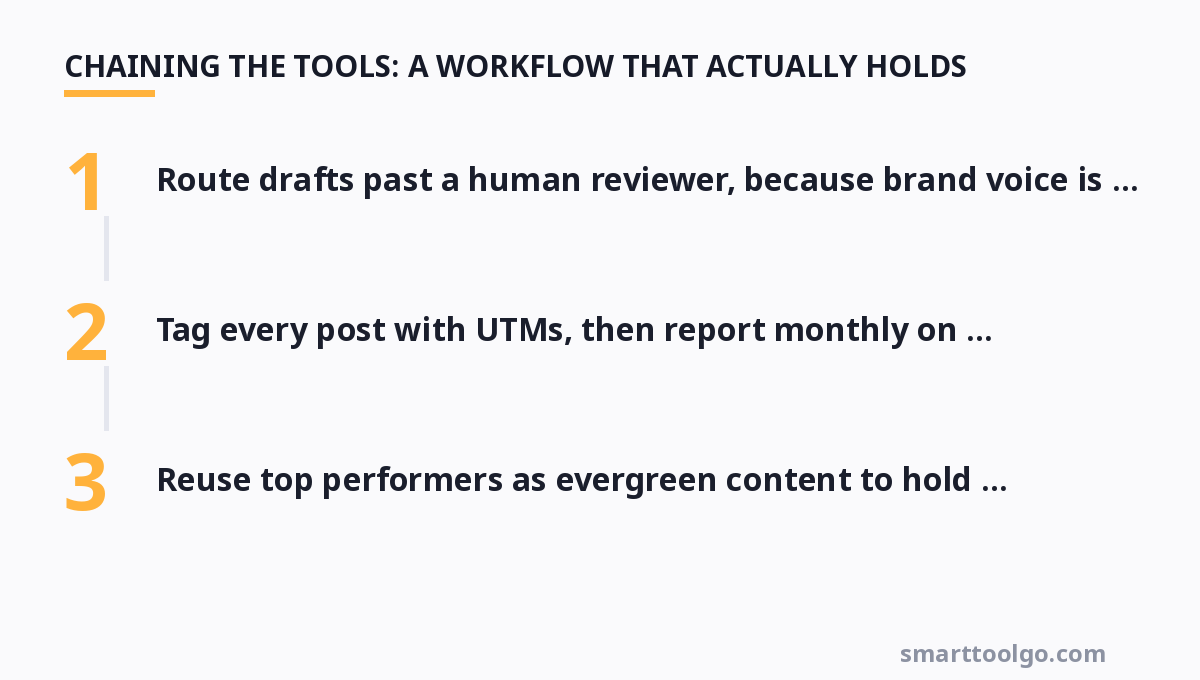
No single tool wins all three branches, and that is fine. A workable stack pairs a drafting assistant with a scheduler for publishing and an analytics tool for reporting. The handoff discipline matters more than the vendor names:
- Draft a month of content in one brainstorming session, using AI to generate variations and localized versions.
- Route drafts past a human reviewer, because brand voice is the hard part AI has not solved.
- Schedule on a calendar that previews per-channel formatting so nothing breaks visually at publish time.
- Tag every post with UTMs, then report monthly on conversions, not just likes.
- Reuse top performers as evergreen content to hold consistency in your quiet weeks.
Teams that follow this chain report faster turnaround and a measurable lift in reach, because consistency plus testing beats occasional bursts of brilliance.
Average costs and where to trim
For a solo creator, the free tiers of Buffer or Later plus an AI drafting tool cover most needs at zero cost. A five-person brand team usually lands around $300–500 per month across scheduling, drafting, and analytics. Enterprises that need compliance, role-based approvals, and mass scheduling push past $1,000 per month on Hootsuite-scale plans. The most common overspend is buying measurement on channels where you have no conversions yet, so scale analytics to the channels actually driving your goals.
For more, check out: .
Frequently asked questions
Will AI social media tools replace a human community manager?
Not realistically. AI excels at drafting, scheduling, and summarizing, but it still flounders on nuance, brand voice, and handling a sensitive customer crisis in real time. The standard outcome is that the human manages exceptions and tone while the AI absorbs the repetitive volume.
Should I post the same content to every platform automatically?
Usually no. Algorithms and audiences differ, and a carousel built for Instagram can look broken on LinkedIn or X. The best schedulers let you preview and tweak per channel, and the extra two minutes per platform reliably improves performance.
Does scheduling hurt engagement compared to posting live?
Not when you use the platform's recommended posting times. The signal that matters is timing relative to when your audience is online, not the fact that a tool autoposted. Manually posting at suboptimal hours consistently underperforms a well-scheduled campaign.
When should a team upgrade past the free scheduler tiers?
The moment you need approval workflows, more than a handful of scheduled posts, team roles, or cross-channel analytics. Free tiers cap scheduling volume and channels, and once a second person touches the calendar, the coordination cost justifies the paid plan.
Is it worth paying for a dedicated analytics add-on on top of a scheduler?
If leadership asks for ROI and you cannot show conversions traced to specific posts, yes. Native dashboards report reach and engagement, but a measurement layer ties posts to signups through link tracking, which is the difference between a social budget that survives and one that gets cut.
Start by naming your biggest bottleneck, then build your stack around it rather than chasing feature bloat. For a deeper dive into what the numbers actually tell you, see our guide to social media analytics, and for the mechanics of hitting a consistent cadence, check our breakdown of social media schedulers. To see where these tools fit in the broader ecosystem, browse our AI tools hub, explore how to design better social media graphics, and plan your campaigns around a proper social media calendar. Chinese-speaking readers can follow the companion Chinese-language AI tools guide guide for everything covered here.
Get one practical tool tip a week
Short, useful, no spam. Unsubscribe anytime.