If you've ever sat down to write a research paper and realized the "recent work" section is now five years old because you stopped searching when the tab count hit 60, you know the real bottleneck of research isn't intelligence — it's information triage. Modern researchers don't read less; they find more sources than they can possibly process, then lose the most important ones in a wall of browser tabs and half-remembered PDF filenames.
AI research tools exist to compress that loop: find relevant literature faster, extract the key claims without reading every paper cover to cover, and keep a clean citation trail. The category has grown fast enough that picking the right tool is now its own research problem. Here's a practical breakdown of what actually works, what it costs, and how to build a workflow around the strengths of each.
The Real Pain Points These Tools Address
Research workflows fail in a handful of predictable places, and each tool category attacks a different one:
- Discovery: Semantic search that understands questions, not just keywords, so you find relevant papers you'd never have hit with a boolean query.
- Synthesis: Automatically summarizing dozens of papers into a structured literature review or related-works narrative.
- Reading: Extracting tables, figures, and key claims from PDFs without manually scrolling dense two-column layouts.
- Citation management: Keeping references, annotations, and bibliographies consistent across a long project.
- Writing: Generating drafts, paraphrasing, and grounding claims in cited sources to reduce hallucination risk.
If you only invest in one tool, pick based on your biggest bottleneck — not on what's flashiest. A discoverability problem needs a semantic search tool. A writing problem needs a citation-grounded drafting assistant. Trying to fix a synthesis problem with a PDF reader wastes both time and money.
Comparing the Leading AI Research Platforms
Four tools dominate the conversation right now, and they have meaningfully different trade-offs on pricing, source coverage, and how you interact with them.
| Platform / Tool | Key Features | Pricing |
|---|---|---|
| Elicit | Semantic paper search, automated extraction of study characteristics, structured comparison tables from your own question | Free tier with limited credits; Plus plan from ~$12/mo; Team plans for institutions |
| Scite | Citation context and classification (supporting/contrasting), Smart Citations, reference checking | Free tier; paid plans from ~$20/mo; institutional pricing |
| Consensus | Plain-language answers grounded in research papers, evidence-based summaries, filters for study type and journal quality | Free basic access; Premium from ~$9/mo; verified student/educator discounts |
| Semantic Scholar | Large open paper graph, free API, citation graphs, tl;dr auto-summaries, field-of-study filtering | Free (open platform); optional API access via key |
| Research Rabbit | Citation network visualization, "similar works" discovery, co-citation exploration from a seed paper | Free (academic tool) |
| SciSpace (formerly Typeset) | Paper search with AI Q&A, paraphraser, citation generator, LaTeX and Word templates | Freemium; paid plans with usage limits; institutional tiers |
The decision tree is straightforward. If your problem is finding the right papers fast, Semantic Scholar and Research Rabbit are free and excellent. If your problem is understanding what a set of studies actually concludes, Elicit's structured tables are strongest. If you need to verify that citations say what authors claim, Scite's citation context is unique. If you want one conversational surface to ask plain questions of the literature, Consensus is the polish.
Semantic Search Is the Biggest Silent Upgrade
Keyword search fails researchers in a specific way: you have to guess the vocabulary an author used. Semantic search doesn't care — it matches on meaning. A query like "does intermittent fasting improve cholesterol in adults over 50" surfaces relevant RCTs even if the papers never use the phrase "intermittent fasting." That's the fundamental advantage that justifies the effort of learning a new search UI.
This matters more in interdisciplinary work. A biologist searching "what proteins mediate cell death" gets very different results than one searching "apoptosis signaling," and semantic search bridges that vocabulary gap. When you move into a new field, the tool you already know can keep working because you don't need to learn its jargon to search it.
Building a Literature Review Workflow That Scales
Stop treating tools as one-off searches and start building a repeatable pipeline. Here's a workflow that works across a multi-week review, combining free and paid tools:
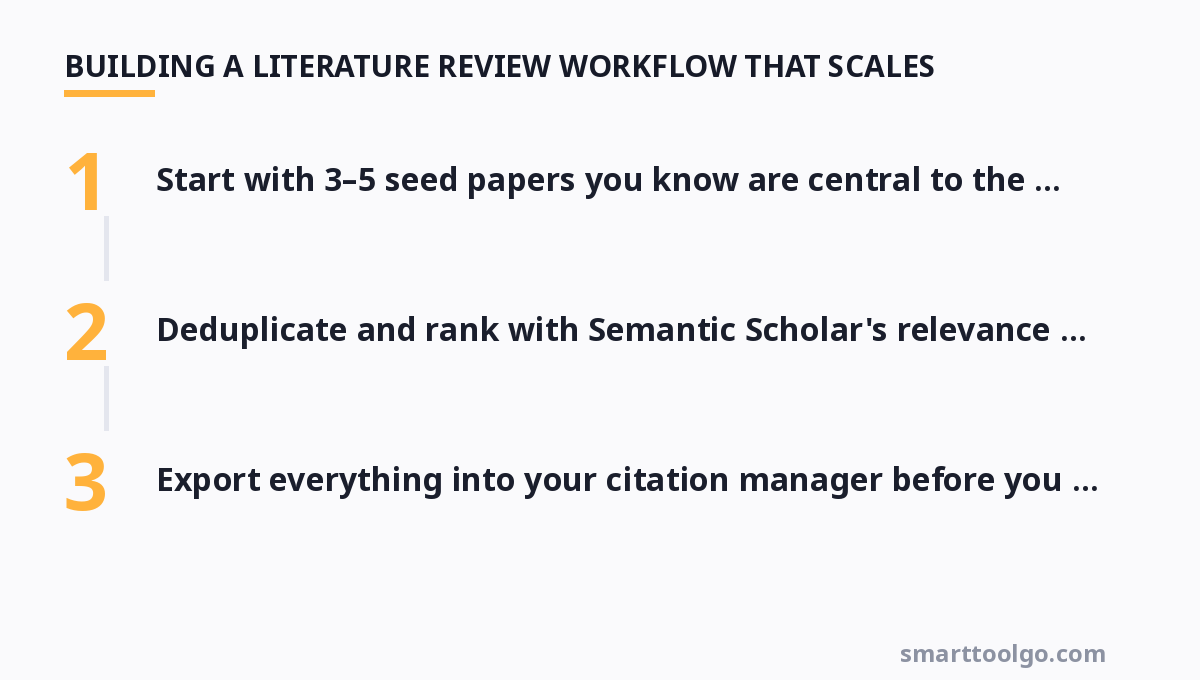
- Start with 3–5 seed papers you know are central to the topic.
- Run them through Research Rabbit to explode the citation network outward and collect 50–100 relevant candidates.
- Deduplicate and rank with Semantic Scholar's relevance scores.
- Feed the shortlist into Elicit to extract study characteristics into a structured comparison table.
- Use Scite to check whether the top claims are actually supported or contradicted by citing papers.
- Export everything into your citation manager before you draft a single sentence.
The payoff is sharper related-work sections because you can see trends, gaps, and conflicting findings as a generated table rather than a messy set of notes. And because everything carries a citation, you ground every claim you write.
Using AI to Draft Without Losing Academic Integrity
The biggest fear with AI writing tools is hallucinated references. The fix is to force grounding: work only with tools that make you attach real sources, and always verify the reference actually says what you claim. Tools like SciSpace and Consensus generate answers with direct links back to the excerpts they drew from, which means the citation trail is auditable rather than fabricated.
In practice, treat the AI as a drafting partner for your literature review's narrative skeleton, not as a source. Have it summarize the three papers you've picked, then rewrite that summary in your own voice against the originals. This keeps your intellectual contribution front and center while the tool handles the mechanical aggregation.
For researchers assembling a full stack, it helps to see how these literature tools fit into the wider category of AI academic tools, which also covers citation managers, plagiarism checkers, and formatting helpers you'll want alongside search.
When You Should Specialize Into Literature Review Tools
If your research is heavily literature-driven — systematic reviews, grant proposals, survey papers — you'll eventually outgrow general search. Dedicated review tooling adds screening workflows, PRISMA-style flow support, and sometimes formal inclusion logs. These are the tools behind panels that must justify every paper in and out according to replicable criteria.
The upfront time cost of learning a screening pipeline is real, but for projects that run for months it repays itself by making your inclusion decisions reproducible and auditable, which is exactly what peer reviewers want to see. A deeper breakdown of these specialized options lives in our piece on AI literature review tools.
Free Options That Cover 80% of Needs
You don't need to spend money to get a meaningful research upgrade. Semantic Scholar + Research Rabbit, both free, give you discovery and citation-network exploration. Adding Google Scholar for coverage and a free citation manager keeps the whole loop at zero cost. Only teams that hit walls with search recall, citation verification, or structured extraction justify a paid tool — and even then, most paid platforms offer free tiers or academic discounts worth exhausting first.
The general-purpose AI assistant landscape can also help you start drafts and organize notes, so it's worth browsing how the broader AI tools directory categorizes assistants for research use. For the systematic-search specialist angle, our sister site runs a dedicated look at that adds more options beyond the four here.
Researchers assembling a toolkit on a budget will also find the free online productivity tools guide handy for the surrounding reference-management and note-taking apps. And for teams working in Chinese, the curated Chinese-language AI tools guide roundup covers local-language research assistants that may suit your workflow better than English-first tools.
For more, check out: .
FAQ
Can I trust AI-generated summaries of papers, or do they hallucinate?
Grounding reduces the main risk. Tools like Consensus and SciSpace link each claim back to the exact source excerpt, so you can audit what generated the answer. Never rely on a tool that produces claims without clickable citations, and spot-check any surprising finding against the original abstract and full text before you cite it.
Which tool is best for a systematic review vs. a quick literature search?
For a quick search, Semantic Scholar or Consensus gets you up to speed in minutes. For a formal systematic review with screening criteria and inclusion logs, invest in dedicated review tooling or use Elicit for structured extraction plus a screening workflow that documents every inclusion decision.
Do the premium plans actually pay for themselves?
Usually yes, if you have a usage pattern. A researcher running hundreds of searches a month saves enough time with Elicit or Scite to justify ~$12–20/month. But a light user who needs 20 searches a month is better off with free tiers like Semantic Scholar and Research Rabbit until the free quota actually binds.
How do these tools handle paywalled or non-English papers?
Coverage varies. Semantic Scholar indexes a huge open corpus, so open-access and preprint coverage is strong but paywalled items may lack full text. For non-English literature, tools built with multilingual indexing — including some in the Chinese-language roundup linked above — will outperform English-first search engines. Check each tool's stated source coverage before committing.
Should I use these tools during or after data collection?
Use discovery and semantic search early to winnow your source set, extraction and synthesis tools right after collection to structure what you have, and citation-grounded drafting tools at the writing stage. Trying to use a single tool for all three stages usually means paying for features you don't need and fighting a workflow designed for something narrower.
Get one practical tool tip a week
Short, useful, no spam. Unsubscribe anytime.