You've probably sat through a meeting where someone tried to explain a five-step process using nothing but bullet points, and ten minutes in, nobody can agree which step actually causes the failure. That's the exact problem flowcharts were invented to solve — but only if you can draw them quickly enough to keep up with the discussion. Typing boxes in a drag-and-drop tool is still faster than arguing, but an AI flowchart tool can take a text description of your process and lay out a structured diagram in seconds.
The AI flowchart category broke out recently for a simple reason: most of the work in diagramming is structural thinking, not clicking. Describing "if the order exceeds threshold, route to approval, otherwise auto-fulfill" is the actual intellectual labor. AI tools parse that text and generate the visual skeleton, which you then adjust. A 45-minute diagramming session becomes ten minutes of tweaking. If your team diagrams processes, onboarding flows, or decision trees regularly, this guide tells you which tool actually delivers on that promise.
Where AI Flowchart Tools Actually Help
Not every diagram benefits from AI. Be honest about which tasks get a real speedup:
- Process documentation: Turning a paragraph of steps ("to file an expense") into a clean flowchart.
- Decision trees: Mapping conditional logic — approval thresholds, routing rules, escalation paths.
- Onboarding/algorithms: Explaining a sequence to stakeholders who need the big picture fast.
- Reverse-engineering: Pasting loose notes and getting a first structured draft to critique.
- Refactoring ugly diagrams: Asking the AI to reorganize a messy inherited chart into clearer swimlanes.
Where AI is weak right now: highly exacting diagrams with strict shape conventions, multi-page process maps with hundreds of nodes, and anything that needs precise visual layout control. AI gives you a fast skeleton; the human still owns the polish and the correctness of the logic.
Comparing the Leading AI Flowchart Tools
Most of the well-known diagram apps have bolted on AI, but the depth of that integration varies a lot.
| Platform / Tool | Key Features | Pricing |
|---|---|---|
| Whimsical AI | Text-to-diagram, flowchart and mind map generation, collaborative boards, copy from natural language | Free tier (limited boards); Standard from ~$12/mo; Pro with unlimited AI from ~$20/mo |
| Miro AI | AI assist for sticky notes, automated diagram generation, board-wide integration with a huge template library | Free plan; Starter from $16/mo (billed annually per editor seats get complex); AI features in paid tiers |
| Lucidchart (with AI) | Flowchart and diagram editor with AI-driven shape/shape suggestions, data linking, robust integrations | Free basic; Individual from ~$9.95/mo; Team/Enterprise quoted; AI add-ons may require higher plans |
| Edraw.AI | AI text-to-diagram, 210+ diagram types, one-click styling, export to multiple formats | Free tier with watermark/limits; paid from ~$9.90/mo; lifetime options available |
| Creately VIZ | AI flows from prompts, standardized diagram shapes, collaboration features, reusable frameworks | Free tier; paid plans from ~$5/user/mo; higher tiers for advanced collaboration and AI credits |
| yEd Live / draw.io | Manual diagram editors with some automation, fully open/web tools, no-code export | Free (open source / web-based) |
The honest read: Whimsical's AI is the most "paste text, get a diagram" of the group and is beloved for its speed. Miro's AI shines when you're already a Miro board team. Lucidchart is the enterprise workhorse where precise, data-linked diagrams matter more than whizzy generation. Edraw.AI is the budget-friendly option with the broadest format coverage. Creately VIZ splits the difference on price and template richness.
Two Ways to Generate a Flowchart With AI
Across these tools there are essentially two input styles, and knowing which you prefer changes your choice:
- Natural-language prompt: You describe the process in prose ("when a lead is created, if score > 80 send to sales, else send to nurture and re-score weekly") and the AI builds the chart. Best for quick drafts from a fuzzy idea.
- Structured list / outline: You feed a Markdown-style list of steps with indentation indicating hierarchy, and the AI converts structure to boxes and arrows. Better for accurate, controllable output.
Whimsical and Edraw.AI lean into the natural-language path. Lucidchart and Creately favor the structured approach, which is better when you have precise logic to encode. In practice, most people end up starting with natural language and then nudging the result manually — so pick the tool whose generated output is editable in a way you like, not the one with the flashiest demo.
Building a Diagramming Workflow With a Team
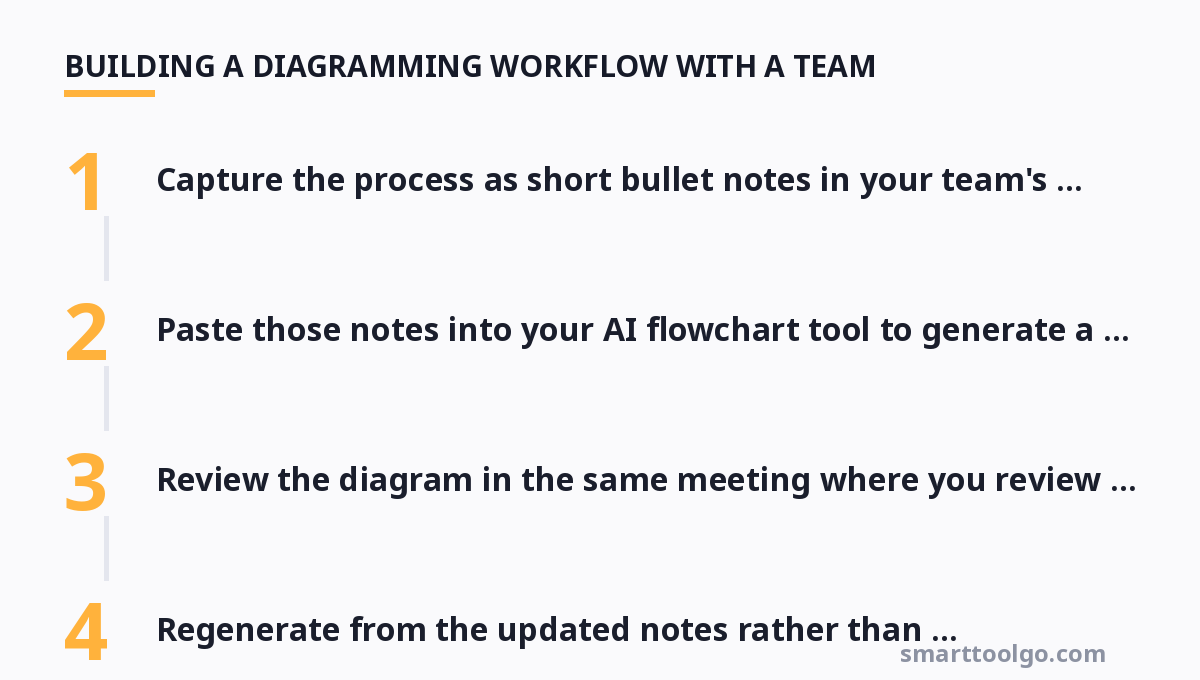
Flowcharts decay fast if nobody maintains them, and AI doesn't fix that — it just makes the first draft cheap. The durable habit is to keep diagrams near the documents they describe and update them in the same review cycle. A useful pattern:
- Capture the process as short bullet notes in your team's wiki or doc.
- Paste those notes into your AI flowchart tool to generate a v1 diagram weekly.
- Review the diagram in the same meeting where you review the written process.
- Regenerate from the updated notes rather than hand-editing the old chart.
This keeps the diagram honest and always traceable to a source of truth. Teams that dump a "final" flowchart into a shared drive and forget it end up with diagrams that contradict the actual process by the second quarter.
Don't Confuse Flowcharts With Mind Maps or Presentations
It's easy to reach for a flowchart tool when what you actually need is a diagram or diagramming tool of a different kind. A mind map explores ideas radially and isn't the right shape for step-by-step processes; a presentation is for persuading, not for mapping logic. Using the wrong tool makes you fight the layout the whole time.
Where AI tools overlap the most is around whiteboarding and brainstorming boards. If your team does a lot of freeform ideation that occasionally needs a process diagram, Miro AI or a board-based tool is a better fit than a strict flowchart editor. For polished, presentable process flows, a dedicated editor like Lucidchart or Whimsical is sharper.
Cost and Choice: Match the Tool to the Workload
The cheapest sensible route is Edraw.AI's free tier or an open-source editor like draw.io, if you only diagram occasionally and don't need collaboration. The moment diagramming becomes a shared weekly activity, pay for a proper collaborative tool — the per-seat price (roughly $5–20/user/month) is trivial compared with the meeting time a shared, always-current diagram saves.
One caveat: watch AI usage limits. Several tools meter AI generations with per-month credits, and a team that diagrams heavily can burn through a "Pro AI" quota fast. If you generate a lot of charts, prioritize a plan with generous or unlimited AI credits over a cheaper plan with a low meter — you'll hit the limit at the worst possible time otherwise.
The Role of Flowcharts in the Wider Visual Toolkit
Flowcharts rarely work in isolation. A decision process usually needs to become a slide, and an exploration often starts with a mind map before it stabilizes into a flowchart. Teams that treat diagramming as one tool in a broader visual workflow get more value than teams that silo each format.
For decision trees and customer-journey flows specifically, our sister site maintains a dedicated look at that covers a few more names and price points worth adding to your shortlist. And when the flowchart needs to become a narrative, the roundup of AI presentation tools shows how to carry your diagram into a deck without redrawing it.
Since AI flowchart tools grew out of the broader AI productivity wave, you'll find related "text-to-X" tools alongside them in our AI tools directory. For idea exploration before the structure crystallizes, see the guide to mind mapping software, and budget-minded teams should check the free online productivity tools guide. Chinese-language users can find local-market diagram apps in our Chinese-language AI tools guide list.
For more, check out: .
FAQ
Can an AI flowchart tool actually understand complex multi-branch logic, or does it just make simple boxes?
It depends on the input. Natural-language prompts handle simple branching well but struggle with deeply nested logic. For complex routing, feed a structured outline (Markdown list with indentation) to tools like Lucidchart or Creately VIZ, which map structure to boxes more reliably and leave you correcting edge cases rather than redrawing everything.
Which tool has the most generous free AI credits for diagram generation?
Edraw.AI and Creately VIZ both offer free tiers with usable AI generation, though they cap the number of creations and may add watermarks. Whimsical's free tier includes AI but with limits, so heavy generation pushes you to Pro. If budget is the binding constraint, start with Edraw.AI's free tier before paying for a metered plan.
How is an AI flowchart different from a typical manual drag-and-drop diagram editor?
AI tools generate the initial diagram structure from your text or outline, so the human focuses on describing the process and fixing the logic instead of drawing every box. Manual editors (draw.io, Lucidchart without AI) give you full control but force you to place everything by hand. Most teams want a hybrid — AI for the first draft, manual for the polish.
Can I export the AI-generated flowchart into my wiki or documentation tool?
Yes for the mainstream tools. Whimsical, Lucidchart, Edraw.AI, and Creately all export to PNG, SVG, and PDF, and most can embed directly into Confluence, Notion, or Google Docs. Check your specific tool's export/embed options before committing, since embed quality varies — some give live diagrams, others just a static image.
Should our team standardize on one diagram tool, or let everyone use their own?
Standardize if you collaborate on processes regularly. A shared tool keeps diagrams version-controlled in one place, consistent in style, and editable by everyone, which avoids the "who owns the canonical version" problem. If diagramming is rare and individual, free per-person tools are fine — just agree on an export format for sharing.
Get one practical tool tip a week
Short, useful, no spam. Unsubscribe anytime.