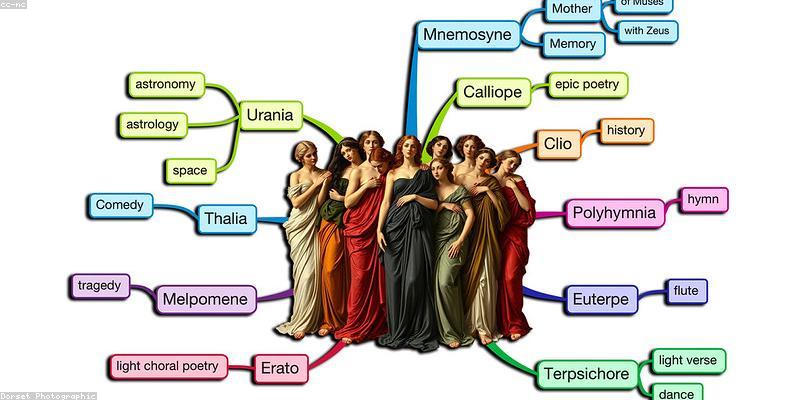
Stop Mapping From a Blank Canvas: Why Most Mind Mapping Software Wastes Your Time
The moment a mind map tool dies for most people is the "blank node" problem. You open the app, all you see is an empty central bubble, and instead of thinking in branches you stare at a cursor. It is the tool equivalent of a writer's block that never lifts. That is precisely why the best mind-mapping software in 2026 is no longer judged by how many shapes it can draw, but by how fast it turns a rough idea into a structured, exportable deliverable — and how much it borrows from AI, templates, and real collaboration rather than just radial lines on a canvas.
The market has split into two camps. On one side you have polished, feature-rich apps — ThinkMap, FreeMind's spiritual successors — that give you total visual control. On the other, you have AI-assisted thinking tools that generate the map for you from a prompt, a transcript, or a wall of notes. Knowing which camp fits your workflow (planning a product, drafting an essay, running a brainstorm, organizing research) is the real selection problem. This guide walks that fork in the road instead of telling you "all mind mapping is the same."
What "Good" Mind Mapping Actually Means Now
Ten years ago a mind map was a diagram. Today, in a world where ideas arrive as meeting transcripts, Slack threads, and AI-generated drafts, a great mind-map tool does three jobs:
- Captures quickly: one-click branching, fast keyboard navigation, minimal friction from thought to node.
- Transforms: turning a linear outline or an AI chat into a structured map, and back again into a task list or document.
- Collaborates and ships: sharing a live map with a team, gathering comments, and exporting to Markdown, image, or a project tool.
If a tool only does radial bubbles with pretty colors but forces you to hand-place every node, it is failing at the second and third job. That is the silent killer — the reason people abandon mind mapping apps after one burst of enthusiasm.
The Selection Decision Tree: Five Questions to Narrow Your Choice
Instead of downloading every app, run these five questions in order. They instantly cut the field.
- Is this for solo thinking or team collaboration? Solo thinking (studying, planning, drafting) favors speed and AI. Team brainstorming favors live multiplayer, comments, and sharing permissions.
- Do you want AI to generate the map? If your bottleneck is getting started, pick an AI-native tool that turns a prompt, PDF, or meeting transcript into branches in seconds. If your bottleneck is precision, pick an expert canvas tool and skip the AI.
- Do you need deep integration with your task/project tool? Mapping into a to-do app like Asana, Notion, or Trello changes the calculus. Some map tools export cleanly to Markdown; others lock you into their own walled garden.
- What is your budget and data sensitivity? Large corporates often need on-prem or zero-training-data options. Individuals and small teams can lean on generous free tiers.
- Do you think in outlines or in pictures? Honest answer matters: many "visual" people actually think in structured lists and just want a pretty render at the end. If so, a note tool with built-in mapping beats a dedicated canvas app.
Run this and you will usually be down to two or three real candidates rather than a dozen tabs.
Side-by-Side: Six Mind Mapping and AI Map Tools Worth Your Attention
| Platform / Tool | Key Features | Pricing |
|---|---|---|
| Xmind | Polished canvas, multiple layouts (map, org chart, timeline), mind-map-to-outline, cross-device sync, print-quality export | Free core plan; Xmind Pro from about USD 59.99/year |
| MindMeister | Real-time collaboration, presentations from maps, iOS/Android/web apps, strong sharing and comments | Free up to 3 maps; Personal from USD 6/user/month; Pro from USD 12/user/month |
| Miro | Huge infinite canvas, AI-assisted visual notes, sticky notes and templates, deep team integrations | Free Starter plan; Team from USD 8/user/month (annual) |
| Whimsical | Fast flowcharts and mind maps, drag-and-drop shapes, AI board generation, tight with Notion and Jira | Free for limited shapes; Pro from USD 10/user/month |
| Mindomo | Education-friendly, Gantt view from maps, assignments and collaboration plus offline editor | Free for up to 3 maps; Premium from about USD 36/year (individual) |
| Napkin.ai / AI note-map tools | AI generation of diagrams from text prompts and transcripts, quick visual export | Freemium; paid tiers around USD 5–15/month depending on usage |
Notice how the pricing splits. The dedicated canvas apps (Xmind, MindMeister, Mindomo) charge per user and cap free maps. The team collaboration boards (Miro, Whimsical) price by seat with generous free allowances. AI-generation tools tend to price by usage rather than by map count. Match the pricing model to how often you actually map.
AI-Generated Maps vs. Hand-Drawn Precision
The single biggest fork in modern mind mapping is whether you want the computer to build the map or merely to host it. AI-generated maps are unbeatable for the "getting started" problem: drop in a research PDF or a pasted meeting transcript, and within seconds you get a scaffold of main topics and sub-branches you can then groom. This collapses what used to be a 20-minute blank-canvas session into a 2-minute edit session.
The trade-off is control. AI maps are only as good as the source material and your prompt; subtle domain logic still needs manual restructuring. Hand-drawn precision in an expert canvas like Xmind or MindMeister remains the right choice when the map itself is the deliverable — a client-ready diagram, a study guide, a documented process flow — not just a thinking aid. The practical answer for most people is both: let AI draft, then refine by hand in the same tool where possible.
Turning a Map Into Action: The Export Trap
Here is the trap that defeats most mind-mapping adoption: you invest an hour building a beautiful map, and then it just… sits there. The tool does not hand it off to your to-do list, your document, or your team backlog. Before you commit to any app, test its export path: can it turn the map into Markdown, an outline, a task list in Notion/Asana, or at worst a clean image for a slide deck?
Several tools make this painless — Miro and Whimsical push into docs and tickets natively, Mindomo generates a Gantt view, and Xmind converts outlines cleanly to text. The apps that force you to screenshot a PNG and retype the tasks are the ones that quietly get abandoned. If you cannot move a branch into a task inside two minutes, that is a real usability failure, not a nitpick.
Solo vs. Team: The Collaboration Realities
A solo mappers' workflow is forgiving: they can tolerate a slightly clunky sharing model. A team's is not. If you are running live brainstorms, you need concurrent editing with cursors you can see, comment threads attached to specific branches, and permissions that let stakeholders view without accidentally editing. MindMeister and Miro both handle this well; heavyweight single-user canvas tools often do not.
There is also a cost story hiding inside collaboration. Seats add up fast. A 15-person team on a USD 8–12/seat/month plan is spending most of a thousand dollars a year purely on map software. Before scaling seats, ask whether staff mainly consume maps (viewer roles usually free or discounted) versus actively create them. You may need only 4–5 creator seats and a dozen free viewer accounts.
For more, check out: .
FAQ
Do I need a dedicated mind-mapping app, or is an outline/notes tool enough?
If you think in structured lists and only need a visual at the end, a notes tool with outline-to-map capability (or a simple Miro/Whimsical board) is enough. Dedicated apps like Xmind and MindMeister win when the map itself is a recurring deliverable — study notes, process diagrams, client decks — that you will repeatedly edit and export. Match the tool to whether you map weekly or monthly.
Can AI mind-mapping tools really save me time, or are they gimmicks?
They save real time specifically on the "blank canvas" step. Feeding a meeting transcript or a research PDF into an AI mapper and getting a scaffold in seconds typically removes 15–20 minutes of setup per session. The catch: AI output still needs manual grooming for domain accuracy, so treat it as a fast first draft rather than a finished map. Test one on your own messy notes to confirm before paying.
Which tool is best for a small team that already uses Notion or Jira?
Prioritize export/integration over raw drawing power. Whimsical and Miro both build native bridges to Notion and Jira so map branches can be pushed into tickets or docs. MindMeister also exports cleanly. If your team is already living inside one of these tools, a dedicated map app that cannot push content back into it will frustrate you within a month.
Is there a genuinely free option that scales beyond a few small maps?
All major tools cap free users on map count — MindMeister and Mindomo let you create up to 3 maps free, and Xmind's core is free on desktop. For unlimited free use of a full mind mapper, open-source options exist, or use Miro and Whimsical's free tiers by keeping maps consolidated into fewer boards. If you map constantly, a paid tier at roughly USD 6–12/month is almost always worth it over juggling free-map limits.
What is the actual workflow for turning a brainstorm map into a shipped task list?
Mostly: create branches per workload item, tag ownership and priority directly on the branch if your tool supports it, then export either to Markdown (for Notion/GitHub), to a mind-map-to-Gantt view (Mindomo), or push nodes into your project tool via native integration (Miro/Whimsical/Jira). The two-minute test — can I get one mapped task into my to-do app? — is the fastest way to judge any tool before buying.
For deeper looks at purpose-built tools, our mind mapping apps article and AI mind map tools piece go category by category. For how mapping fits the wider software landscape, see the AI tools hub, and if you are planning projects, covers sequence planning. Budget-conscious readers will find the free online productivity tools guide useful, and non-English readers can start with the Chinese-language AI tools guide roundup.
Get one practical tool tip a week
Short, useful, no spam. Unsubscribe anytime.