Most ML teams don't fail because they pick the wrong model. They fail because they can't remember which experiment already tried the feature combination, which metric decayed three weeks ago, and which checkpoint actually produced that "great" result nobody can reproduce. When your team ships dozens of runs a day and your results live in a mix of messy CSVs, TensorBoard logs, and a Slack thread from last month, experiment tracking stops being a nice-to-have — it becomes the difference between iterating and firefighting.
Tracking your machine learning experiments isn't just about logging loss curves. It's about capturing metadata, hyperparameters, code versions, datasets, and artifacts in one searchable place so past work becomes leverage instead of noise. If you're still using folder names like final_v2_really_final or grepping through Jupyter notebooks to reconstruct a result, this guide is for you.
What Experiment Tracking Actually Solves
At its core, experiment tracking answers one question: what exactly produced this metric? Every experiment is a snapshot of code version + data version + hyperparameters + environment + random seed. When you track all five, you can reproduce results on demand, compare runs fairly, and stop re-running the same failed idea twice.
According to a 2023 survey from the ML infrastructure space, data scientists spend roughly 30% of their time on data preparation and cleanup, with a significant share of the rest lost to organizing and re-running experiments. Teams without tracking often discover they've burned days re-testing hyperparameter ranges their colleague already explored six weeks earlier.
Good tracking also underpins regulatory and audit needs. If your model feeds into a lending, healthcare, or hiring decision, you need to prove which data and code produced a given prediction. A tracked experiment lineage gives you that evidence in minutes rather than archaeology.
Core Capabilities to Look For
Not all tools are created equal. Before comparing platforms, measure them against these six capabilities:
- Run logging: Automatic capture of metrics, params, and artifacts per run with minimal code changes.
- Search & filter: The ability to query thousands of runs by metric value, parameter value, or tag without loading everything into memory.
- Comparison UI: Side-by-side plots and tables that let you spot which parameter moved between a good and a bad run.
- Versioning & lineage: Links between runs, datasets, and code commits so results are reproducible.
- Model registry: A staging area to promote the best runs to production-ready artifacts with metadata.
- Integrations: Native support for your framework (PyTorch, TensorFlow, XGBoost) and orchestration (Airflow, Kubeflow, Ray).
MLflow vs. Weights & Biases vs. Neptune — A Head-to-Head
The three tools you'll see most often in job postings and GitHub repos are MLflow, Weights & Biases (W&B), and Neptune. Each has a different philosophy about who runs the comparison and how much infrastructure you manage yourself.
| Platform / Tool | Key Features | Pricing |
|---|---|---|
| MLflow | Open-source tracking server, model registry, artifact store, auto-logging for common frameworks, local or self-hosted | Free (open source); optional paid MLflow on Databricks platform |
| Weights & Biases (W&B) | Cloud-hosted experiment tracking, rich comparison UI, hyperparameter sweeps, reports, model registry, integrations with PyTorch/HF | Free for personal/individual use; Team/core from $50/mo; Enterprise custom |
| Neptune | ML metadata store, experiment tracking, model registry, monitoring, extensive parameter search, flexible dashboarding | Free tier (1 user, limited quota); paid from ~$29/user/mo annual; Enterprise custom |
| Comet ML | Experiment tracking, model registry, data quality monitoring, offline logging for air-gapped environments | Free for academics & individuals; Team paid plans; Enterprise custom |
| DVC | Data and model versioning on top of Git, pipeline tracking, no dedicated UI but Git-native workflow | Free (open source); DVC Studio free tier and paid Team/Enterprise tiers |
| Vertex AI Experiments | TensorBoard-integrated experiment tracking inside GCP, tied to Vertex Pipelines and model registry | Pay-as-you-go for GCP compute; experiment tracking itself listed as included with Vertex |
The trade-offs are real. MLflow gives you total control and zero subscription cost, but you own the server, upgrades, and storage. W&B gives you the fastest time-to-value for individual researchers and the most polished comparison UI, but per-seat pricing compounds as your team grows. Neptune sits between the two: strong metadata search and per-user pricing that scales predictably. DVC appeals to teams already committed to Git who want data lineage without leaving their workflow.
A Practical Setup for a Small Team on a Budget
If you're a team of one to five and don't want to manage infrastructure, here's a concrete path that works. Start with MLflow's open-source server the day you begin a project — self-hosted means no per-seat cost and no data leaving your network. Use its autologging for your framework, which captures params, metrics, and models with a single call.
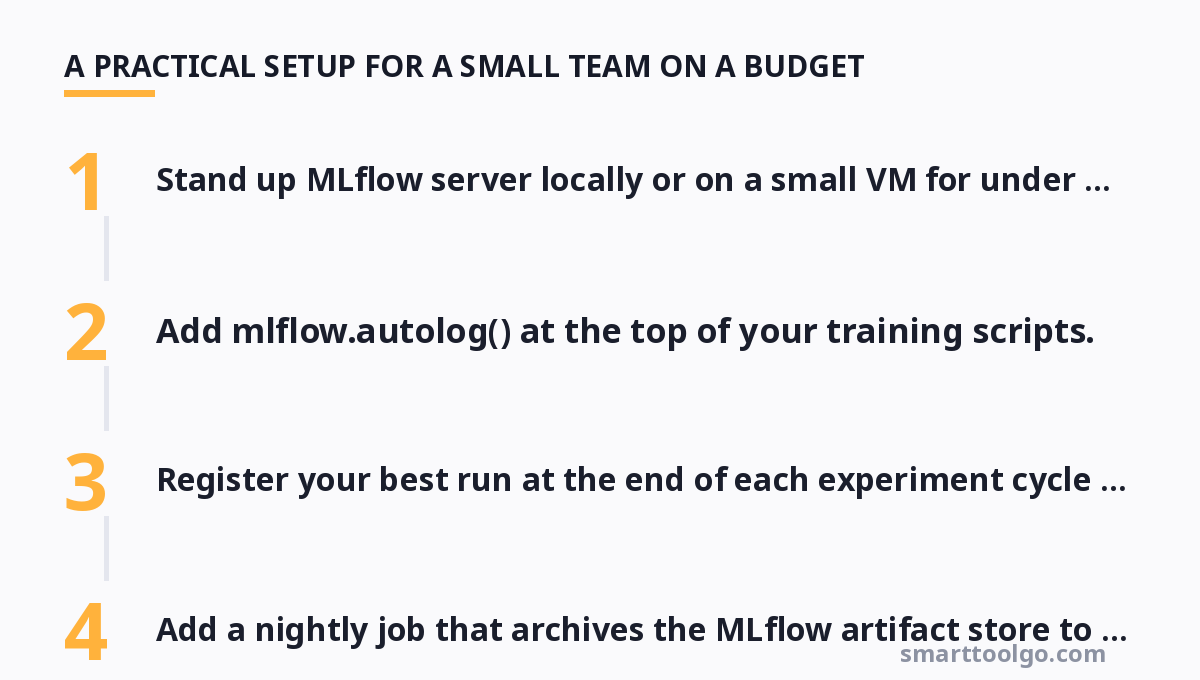
- Stand up MLflow server locally or on a small VM for under $10/month.
- Add
mlflow.autolog()at the top of your training scripts. - Tag every run with meaningful names:
project:churn-model,data:2026-03,approach:gbm-ensemble. - Register your best run at the end of each experiment cycle in the model registry.
- Add a nightly job that archives the MLflow artifact store to object storage.
Once your team outgrows the minimal server, you can migrate the same open-source foundation to the Databricks-hosted version or introduce W&B or Neptune for just the researchers who need the richer comparison experience. The key is that your run metadata format doesn't change, because MLflow's open file format is readable by the other platforms.
Why W&B's Sweeps Deserve a Look
If you do a lot of hyperparameter optimization, W&B's built-in sweeps are a genuine time-saver. Instead of writing your own random-search loop, you define a parameter grid in a config and the sweep agent distributes trials across your available workers, logging everything centrally. A single researcher can effectively use five machines' worth of GPUs without writing orchestration code.
The free tier is unusually generous: individual and academic usage is free, which means you can validate whether its sweeps and comparison UI justify the subscription price before a single dollar changes hands. For teams, the per-seat cost from around $50/month is transparent, and many small studios treat it as cheaper than the engineer-hours you'd spend building internal tooling.
Tying Tracking Into Your MLOps Pipeline
Experiment tracking doesn't stop at training. In a healthy setup, the tracked run metadata flows into the rest of your machine learning operations. That's where tracking intersects with the broader MLOps toolchain — orchestration schedules training jobs, the feature store serves consistent data to train and inference, and the registry handles model promotion.
A clean flow looks like this: a pipeline run executes, autologging records metrics to your tracker, the best run gets registered, and the registry webhook triggers a staging deployment. When it's time to retrain, the pipeline pulls the exact dataset version from your feature store, so the new model trains on data consistent with what produced the prior champion. If you're assessing the full stack, understand how your tracking choice connects to these adjacent systems.
For teams evaluating the wider landscape of platforms that combine orchestration, registry, and tracking in one product, it's worth mapping how AI MLOps platforms bundle these features and what you give up in flexibility by consolidating.
When a Feature Store Complicates Lineage
One trap: once you adopt a feature store, your experiment's inputs are no longer just raw files — they're feature versions computed against historical data. If you don't log which feature-store version fed the run, you can reproduce the code but silently train on different inputs. The discipline is to record the feature store snapshot in your run params alongside the seed and hyperparameters.
Teams that skip this find themselves debugging "unexplainable" metric drops that turn out to be a silently changed feature definition. Treat your feature store as another versioned input to the experiment, and your lineage stays honest.
Free and Open-Source Options Worth Trying First
Before spending money, try the zero-cost paths. MLflow and DVC together cover most single-researcher needs. TensorBoard alone handles simple scalar and histogram logging if you only need a quick look at loss curves and don't yet need search or registry. The air-gapped crowd can run Comet ML offline, which logs locally and syncs when network access returns — useful if you train on machines without internet.
Your decision should follow your workflow, not the other way around. If you're a solo researcher running quick experiments, TensorBoard or MLflow's open source is plenty. If you're shipping models into production with a registry and audit needs, invest in W&B, Neptune, or the managed MLflow on Databricks. If you live in Git, give DVC a week to see if its commit-style versioning clicks with how you already work.
If you're just starting to assemble a working stack, the broader directory of AI tools can help you see how tracking fits alongside training frameworks, deployment servers, and labeling platforms. And because pipeline decisions often trade off against general workflow productivity, the roundup of at our sister site gives additional angles on what teams actually adopt in production.
Finally, cost-conscious teams that are assembling a full productivity and experimentation toolkit on a budget will find the free online productivity tools guide a useful companion for keeping the non-ML parts of your workflow cheap.
For more, check out: .
FAQ
How do I log experiments if my training code is already written and I don't want to refactor it?
Use framework autologging. MLflow's mlflow.autolog(), W&B's wandb.init() with config, and Neptune's experiment.run() can capture the model architecture, params, and metrics for PyTorch, TensorFlow, and scikit-learn with only a couple of lines added at the top of your script — no need to rewrite your training loop.
My team trains on machines with no internet. Can we still track experiments?
Yes. Run MLflow open source on your local network, or use Comet ML offline which buffers logged data and syncs when connectivity returns. Prefer self-hosted servers so nothing leaves your infrastructure, and archive artifacts to local object storage nightly.
What's the difference between experiment tracking and a model registry?
Tracking records every run's metrics, params, and lineage so you can compare and reproduce. A registry is a separate concept for promoting and versioning the few runs you actually deploy. Tools like MLflow and W&B include both, but you can track with one tool and register with another if that fits your workflow.
How should I name runs so I can search them later?
Adopt a consistent tag scheme such as project:name, data:YYYY-MM, approach:family, and owner:who. Avoid free-text titles like "final v2". Filterable structured tags are what make search across hundreds of runs actually useful.
Should I log every single run or only the promising ones?
Log everything. The failed runs are valuable because they prevent others from retrying the same dead-end and give you the full parameter space context for interpreting the winners. Storage is cheap; re-running a dead experiment is expensive.
Get one practical tool tip a week
Short, useful, no spam. Unsubscribe anytime.